Modern Visual Communication: Why Icon Sets Are Essential
In the digital landscape, clarity and speed are everything. Users scroll, click, and absorb information at a breathtaking pace. To meet this demand, visual language has become as critical as written text. This is where the power of a high-quality icon set comes into play. Today, we’re exploring how a cohesive collection like Cooperation Icons can fundamentally change the way you approach design projects.
The Anatomy of a Professional Icon Set
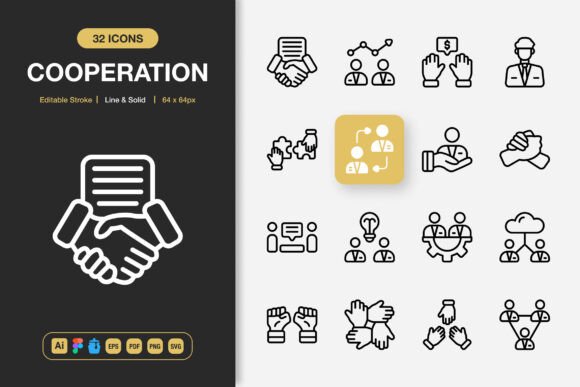
Not all icon packs are created equal. A set that promises versatility must deliver on several concrete features. The Cooperation Icons package exemplifies what professionals look for. Let’s break down its core components.
Design Flexibility: Line and Solid Styles
The inclusion of both line and solid styles is a significant advantage. Line icons, with their clean strokes, offer a lightweight, minimalist feel perfect for UI elements and subtle accents. Solid icons provide weight and prominence, ideal for calls-to-action or key informational graphics. Having both allows a designer to maintain brand consistency while adapting visual hierarchy to different contexts within the same project.
Editable Foundation: The Power of Source Files
True customization starts with editable source files. The provision of Adobe Illustrator and Figma files means these icons are not static images. You can adjust colors, modify stroke weights, combine elements, or even extract parts for new creations. This transforms a purchased asset into a foundational toolkit for your brand’s unique visual identity.
Practical Delivery: Multi-Format and Multi-Scale
How files are delivered dictates how easily they can be used. A comprehensive set includes formats for every workflow:
- Vector formats (EPS, SVG) for infinite scaling in print and web.
- App-specific files (Figma, Iconjar) for seamless integration into modern digital design processes.
- Raster formats (PNG) at a range of common sizes (32px to 512px) for instant use without resizing effort.
- Documentation (Readme.txt) to ensure smooth setup.
This eliminates the technical friction that often slows down project execution.
Transforming Your Project Workflow
Imagine starting a new website, app update, or marketing campaign. Instead of scavenging for disparate icons across multiple sites or laboriously creating simple graphics from scratch, you open a single, organized library. The Cooperation Icons set is built for this reality—easy drag-and-drop functionality across supported applications.
The result is a dramatic acceleration in production. Time saved on asset creation is redirected to more strategic tasks: user experience refinement, content layout, and testing. For teams, a shared, consistent icon library ensures that every member—from designer to social media manager—outputs visuals that align perfectly.
The Universal Application of Minimalist Icons
The described “minimalist icon design” is not a niche trend; it’s a response to universal design needs. Clean, uncluttered icons communicate faster. Their suitability spans virtually every medium.
- Digital Interfaces (Websites & Mobile Apps): They guide users intuitively, reduce cognitive load, and enhance aesthetic appeal.
- Print & Marketing (Books, Flyers, Posters): Vector-based scalability ensures crisp quality from a business card to a large banner.
- Social Media & Infographics: PNG files at ready-to-use sizes allow for quick creation of engaging posts and data visualizations.
This universality makes such an icon set a cost-effective and long-term asset. One purchase serves countless projects across departments and over years.
Key Considerations Before Choosing an Icon Set
When evaluating any icon collection, ask these practical questions:
- Style Match: Does the minimalist aesthetic align with your brand’s existing or desired tone?
- Comprehensiveness: Does the set cover a broad range of categories (communication, technology, business, etc.) to meet your likely needs?
- Technical Compatibility: Are the provided files compatible with your primary design software (e.g., Adobe Illustrator, Figma, Sketch)?
- Scale & Format Needs: Does the included PNG size range cover your typical use cases?
A set like Cooperation Icons, which addresses these points directly, moves from being a mere graphic pack to a strategic design resource.
Beyond the Download: Implementing Icons Effectively
Acquiring a great tool is the first step; using it wisely is the next. Once integrated into your workflow, consider these best practices.
Consistency is Key. Use the same style (line or solid) for similar functions across your platform. This creates a predictable and professional environment.
Color with Purpose. Leverage the editable stroke to color icons according to your brand palette or to assign meaning (e.g., red for alerts, green for success).
Respect Size and Context. The provided PNG sizes are guidelines. In UI design, use smaller icons (32px, 48px) for lists and controls, and larger ones (128px+) for feature illustrations or empty states.
The ultimate benefit of a well-crafted set is this freedom to focus on application and meaning, rather than wrestling with asset creation basics. It empowers designers and content creators to communicate more effectively, ensuring that the visual message supports—and never hinders—the core message of the project.